Patina
Patina is a way of building desktop apps. The apps share one window frame, one skin format and one set of rules, and each one can still be skinned until it looks nothing like its siblings.
It's an older way of thinking about the desktop. KDE and GNOME make their apps look alike. Patina only makes them behave alike, and leaves the look to each app and its skins: unity in variety. Underneath it's patina-ui, a Rust crate for egui apps.
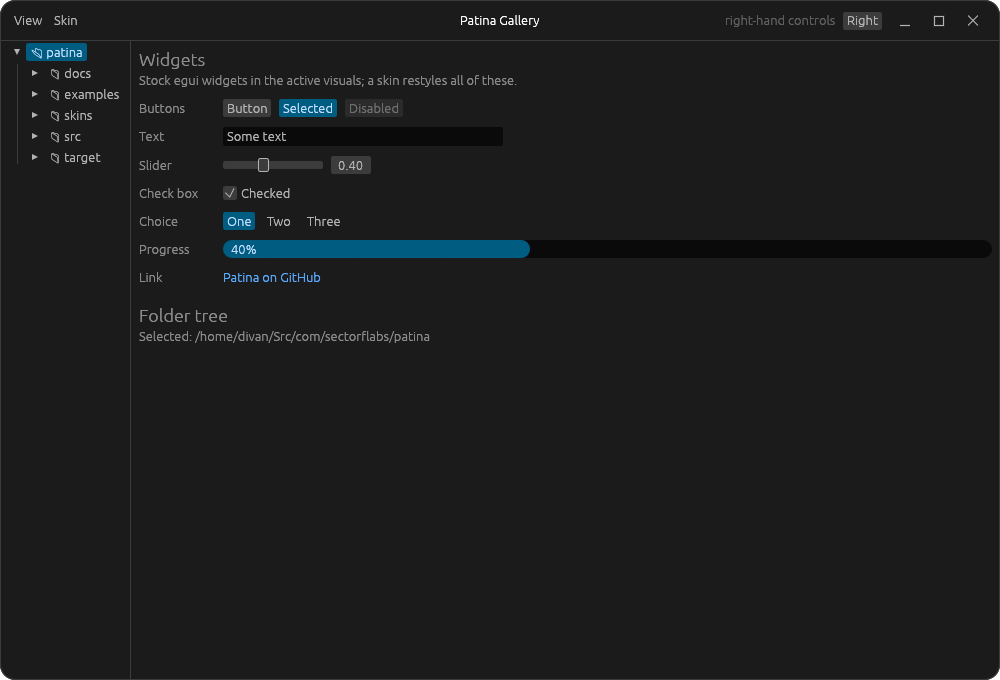
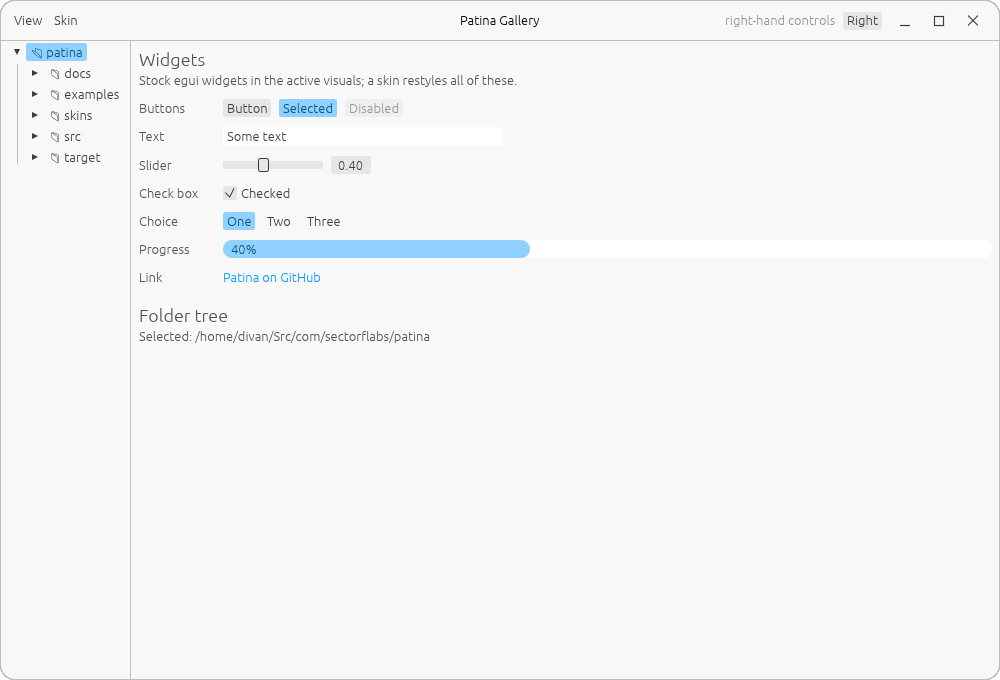
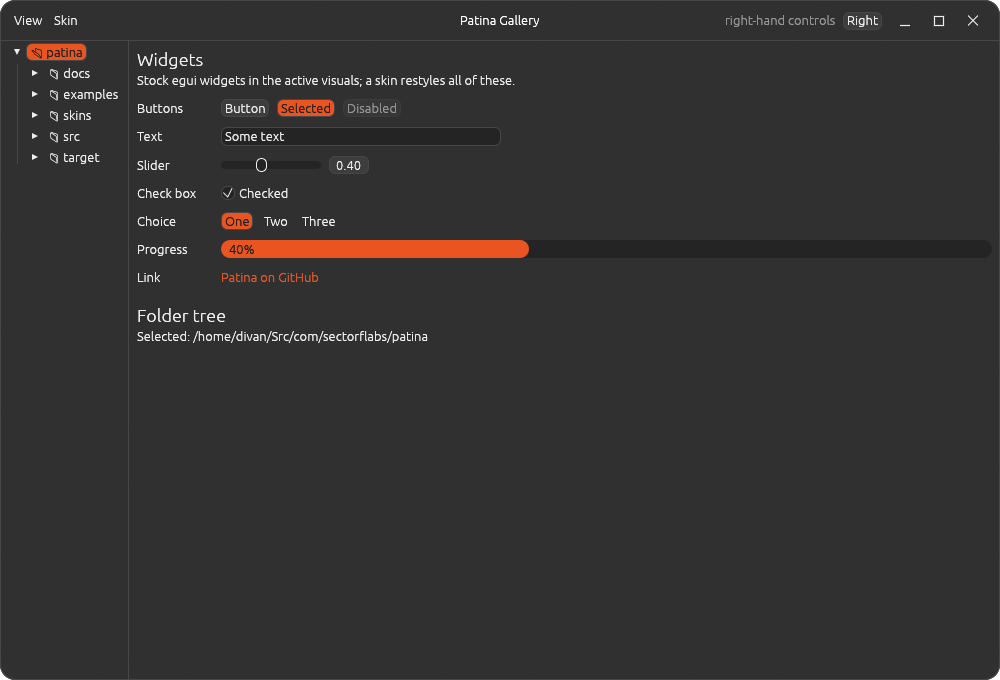
This page is a Patina window
The site follows Patina's rules: a header bar with word menus on the left, the title centred and the page's own action on the right, a folder tree in the sidebar and a status bar along the bottom. Its colours come from the same skin files the apps read, so every skin an app offers, this site offers too.
Default follows your system's light or dark setting, as a Patina app does.
Unity in variety
Think of what makes a town beautiful. A terrace of identical houses painted in different colours is lovely, and so is a street of differently shaped buildings in one stone. A street where everything is the same is dull, and one where everything differs at once is noise. Beauty needs something held constant and something free to vary.
Patina keeps the structure constant: the window frame, where things go and how they behave. The skin is what varies: colour, rounding, shadows, and each app's own parts. A skin can make an app look like nothing else, but it never moves things or changes how they work. Within a skin, the same balance applies: unusual shapes go with a narrow palette, and a bold palette goes with calm shapes.
An app can start in a skin that suits it, as Photograph, Notebook and Calendar do below. That's a choice, not a rule: UnAmp starts in Default, and every app offers every skin.
The School of Life's How to Make an Attractive City argues for order and variety in balance. Thomas Sharp called the same idea "unity in variety" in Town and Townscape (1968).
The apps
-
 Photograph
A photo browser and editor for colour grading, with non-destructive edits. It starts in Patina's Dark Orange skin, the look it was built in. -
 UnAmp
UnAmp
A music player in the spirit of Winamp, on Unix: album art, a big time display, a bar spectrum analyzer and a 10-band equalizer. It starts in Default, plain egui. -
 Notebook
Notes for a folder of markdown files, edited as rich text. It starts in the Notebook skin, leather brown over cream paper. Not released yet. -
 Calendar
A desktop calendar for a CalDAV server. It starts in the Calendar skin, a deep red bar over warm paper. Not released yet.
The rules
- Stock egui first. With no skin chosen, an app is plain egui, following the desktop's light or dark setting.
- Skinnable all the way down, window frame included. A skin someone writes must never crash the app.
- Unity in variety. The structure is shared and the skin varies. What's particular to one app stays in that app.
- Feel native to the desktop. Behave well on it, without copying its look. Moving, resizing and tiling are left to the compositor, and light or dark follows the desktop.
- Never block the UI. A hung network share can slow a view down, but never freeze the window.
- Record decisions, as ADRs, in every Patina app.
The whole of it is in the design language.
Skins
A skin is a small TOML file. Shared sections colour what every app has, and each app reads its own section and skips the others. Anything you leave out keeps egui's default, so a skin can be this small:
format = 1
name = "Just Purple"
base = "dark"

[colors]
accent = "#8A2BE2"
Put it in ~/.config/patina/skins/ and every Patina app offers it. The format is in
Skinning.
Build a Patina app
[dependencies]
patina-ui = "0.1"use patina::frame::{self, FrameStyle, TitleBar};
let style = FrameStyle::from_visuals(ui.visuals());
let radius = frame::corner_radius(ui.ctx(), style.radius);
egui::Panel::top("header")
.frame(frame::header_frame(ui.style(), &style, radius))
.show(ui, |ui| {
TitleBar::new("My App", &style).show(ui, |ui| { /* left */ }, |ui| { /* right */ });
});
Patina re-exports egui, and an app has to use the same egui version. The gallery example,
make gallery in the repo, shows every component and is the best place to start.
- Design language: the rules, the window and the components.
- Skinning: the skin format, key by key.
- Decisions: why Patina is the way it is.
- Known issues.
- API docs on docs.rs, and the source on GitHub. BSD-3-Clause.