 Teleprinter
A terminal emulator in the Patina family: Patina's
window frame and skins, following the desktop's light/dark setting, with
alacritty_terminal doing the emulation and
MesloLGS NF as the font.
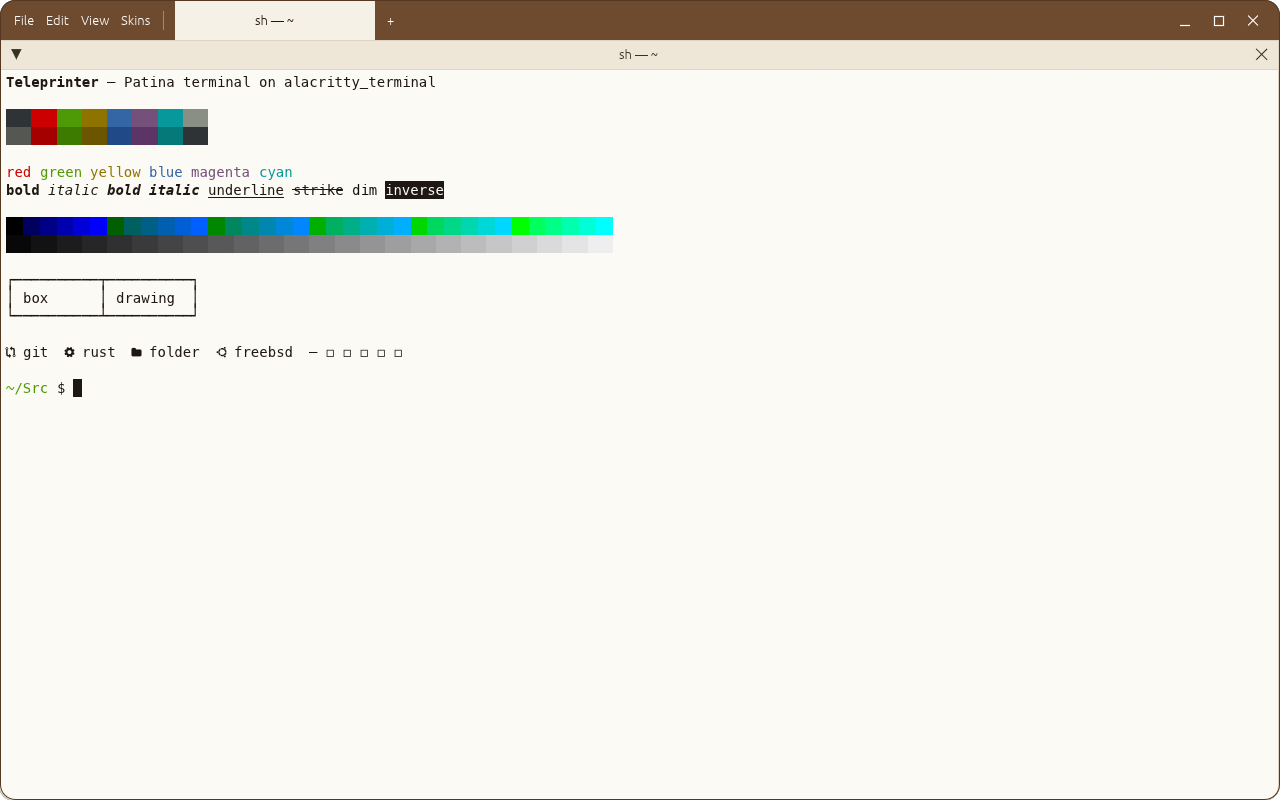
Right-click a terminal to Split Right or Split Down. Panes tile the window, each in a
window of its own titled with what's running in it and where, as tmux names its windows
(vim — ~/Src/teleprinter, back to zsh — ~/Src/teleprinter when vim exits). Drag a pane's title bar onto another to move it to that side, as
in a tiling window manager (hold still over a pane to swap the two instead), and drag the border
between panes to resize. Collapse a pane with the arrow on its title bar (or
double-click the title): in a stack, its neighbours take the space, so a column can hold many
folded panes whose titles still show what's running.
Tabs sit in the title bar, after the menus: each is a layout of panes of its own, named for its
active pane. Panes touch by default; View → Gaps Between Panes spaces them out (gap = 4.0 in
~/.config/teleprinter/config.toml, or any other width). Pane title bars are 28 points tall;
pane_title_height there changes that.
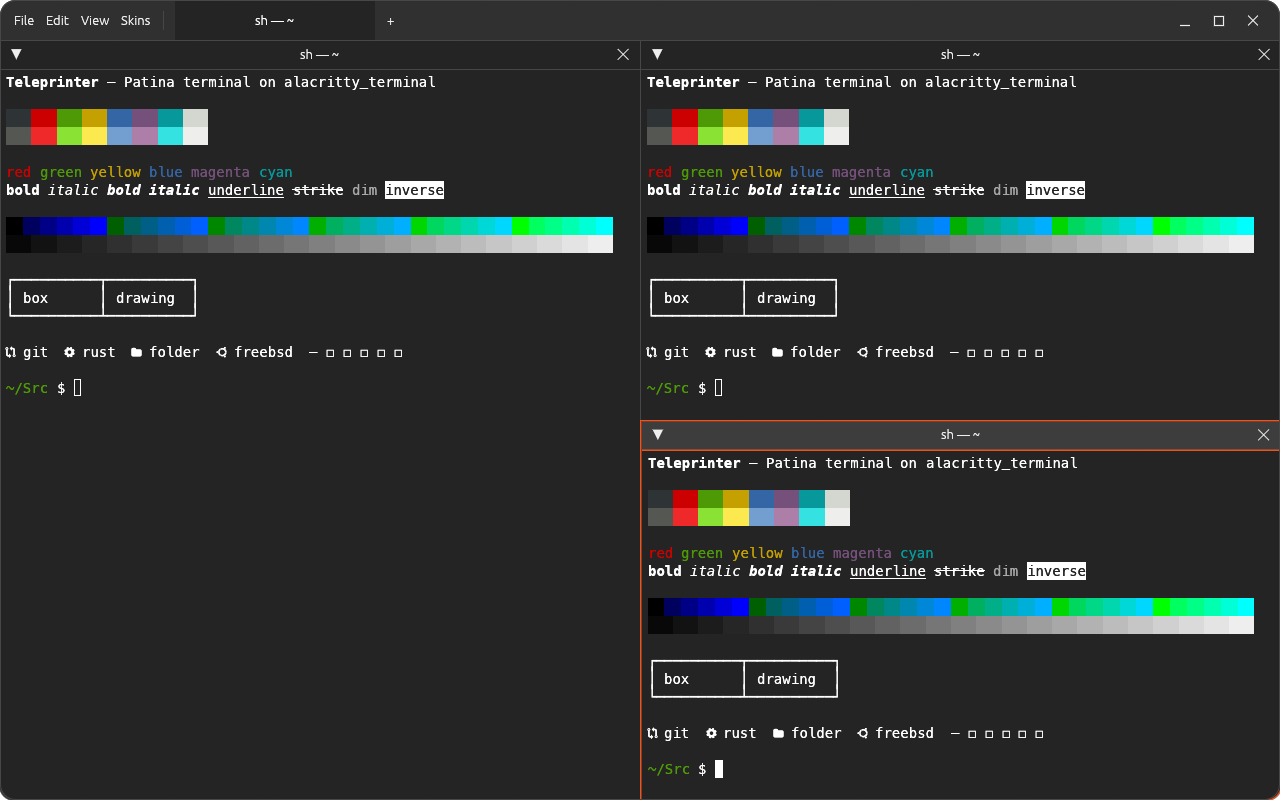
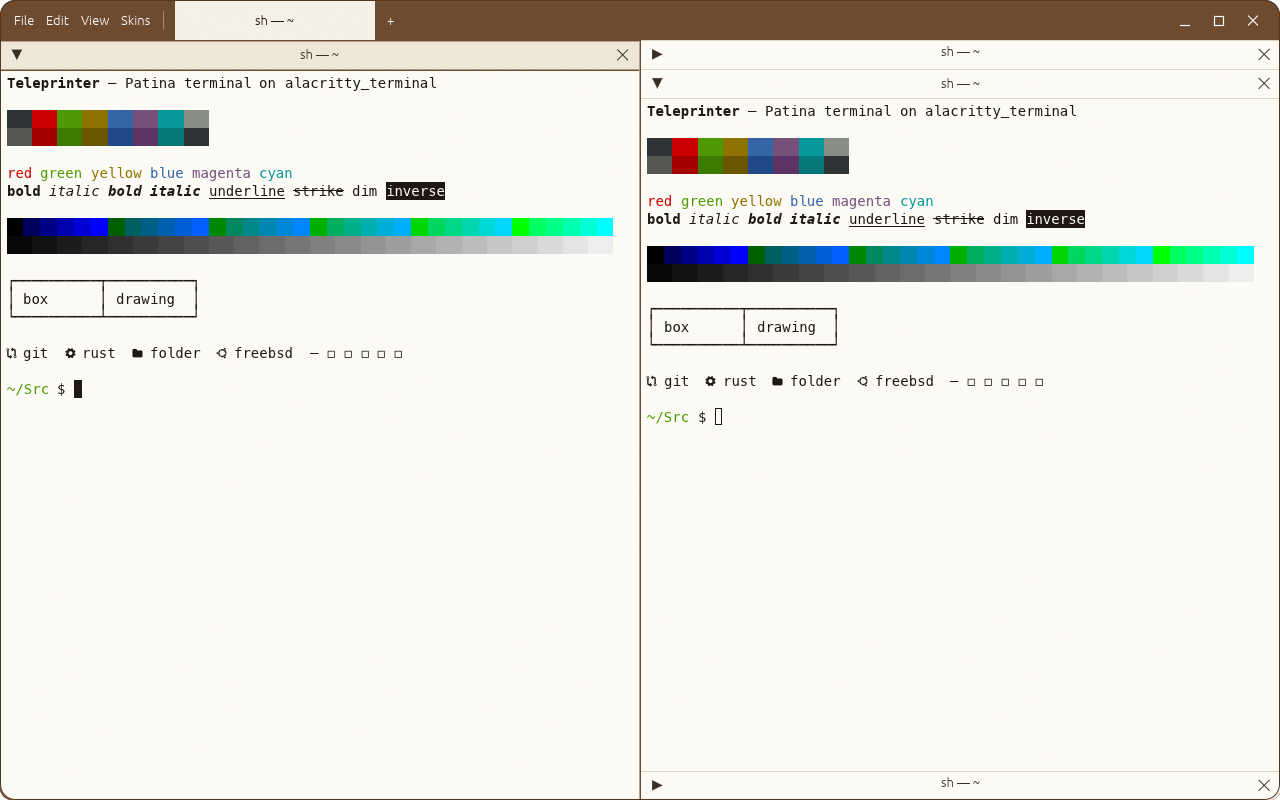
Each skin colours the terminal too. Skins can set their own palette under [app.teleprinter]
(foreground, background, cursor, selection, black … bright_white); anything left out
comes from the skin's own colours and a light or dark Tango palette.
Shortcuts
| Keys | Does |
|---|---|
| Ctrl+Shift+C | Copy the selection |
| Ctrl+Shift+V | Paste |
| Shift+Page Up / Down | Scroll back through history |
| Mouse drag / double / triple click | Select text / a word / lines |
| Right-click → Split Right / Split Down | Split the pane (also on its title bar, and in File) |
| Drag a pane's title bar onto another | Move it to that side of the other pane |
| …and hold still before letting go | Swap the two panes |
| Right-click the background | New Terminal in that space |
| Drag the border between panes | Resize them |
| Ctrl+Shift+T, or + in the title bar | New tab |
| Ctrl+Page Up / Down | Previous / next tab |
| Middle-click a tab, or its × | Close the tab and its panes |
| Title bar arrow, or double-click the title | Collapse / expand the pane |
| Mouse wheel | Scroll history (arrow keys in full-screen programs like less) |
Ctrl+C, Ctrl+V and the rest go to the shell as usual.
Build
make            # list the targets
make run        # run it
make check      # tests and clippy
make screenshot # regenerate docs/screenshot-*.png
make install    # per user, into ~/.local (PREFIX=… to change), with launcher and icon
make uninstall  # remove it again
make icons      # re-render assets/teleprinter-icon-128.png from packaging/linux/teleprinter.svg
Status
A first prototype. Not yet: keyboard shortcuts for splitting and moving between panes, saving the layout, reordering tabs or moving panes between them, input methods, choosing a font, fonts for CJK and other scripts Meslo lacks.
Licence
BSD-3-Clause. The bundled MesloLGS NF fonts are Apache 2.0; see assets/fonts/.